



At hour 0, Store 3 (Thailand local store) received a secondary-review rejection with the backend message: "Legal representative ID inconsistent with the registered entity." At hour 14, Stores 1 and 4 saw their SPS drop from 210 to 87. At hour 36, Stores 5 and 6 simultaneously triggered logistics violation alerts. Within 48 hours, 4 out of 6 stores experienced a sharp SPS decline and 2 failed secondary review—the root cause was not IP duplication or fingerprint conflicts, but that sub-accounts B and C shared the same Vietnamese logistics contract, and the payment entities for 3 stores were not isolated. Platform risk control classified all 6 stores as a single controlling entity and executed cascading penalties.
48-Hour Cascading Incident: How a Shared-Layer Failure Dragged Down the Entire Store Cluster
This incident exposed a common misconception: the first step in multi-store environment configuration is not to change your IP or open a new Profile, but first to determine whether the failure occurs at theshared layer(payment entity, logistics contract, business license quota, legal representative ID validity period) or at thesingle-store layer(operation logs, abnormal logistics tracking, influencer invitation overlap). If the shared layer is at fault, changing any single-store Profile parameters will be ineffective; only when the single-store layer is at fault do you move on to fingerprint differentiation and proxy allocation. The diagnostic sequence is fixed: first verify the remaining business license quota and legal representative passport validity → then check whether the payment entity is shared across stores → finally see whether a logistics contract number appears in two operational units. For the complete troubleshooting logic, refer toMulti-Shop Environment Configuration and Anti-Association Troubleshooting Checklist.
Environment Configuration: Isolation Boundaries and Proxy Cooling Rules for 4–6 Profiles
Running 4–6 TikTok Shop stores simultaneously on a single workstation follows the core principle of "independent per store, bounded sharing." The following configuration points are listed in operational order:
- Profile Creation and Fingerprint Differentiation:Each store corresponds to an independent Profile. Fingerprint parameters (Canvas hash, WebGL renderer, timezone, language, font list) must be differentiated per store. Among the 6 Profiles, at least the Canvas and WebGL values must not be duplicated. Timezones are set according to the store's country (Thailand UTC+7, Vietnam UTC+7, Malaysia UTC+8).
- Proxy Binding and Cooling Period:Each Profile is bound to an independent exit IP. Thai stores use Thai or Singapore nodes; Vietnamese stores use Vietnamese or Malaysian nodes. After proxy binding, a 72-hour cooling period is enforced. During the cooling period, do not switch proxies or modify fingerprint parameters. After the cooling period ends, change IPs no more than once per month.
- Login State Isolation:Each Profile stores only the login Cookie for its corresponding store. Do not log in to a second store within the same Profile. Shared-level operations (modifying payment accounts, changing business licenses) are performed exclusively through the store owner's main account, not through sub-account Profiles.
- Browser Parameter Locking:Once a Profile is created and its first login is completed, the UA string, screen resolution, and font list are locked as read-only. This prevents parameter "drift" across different Profiles on the same workstation caused by system updates or browser upgrades.
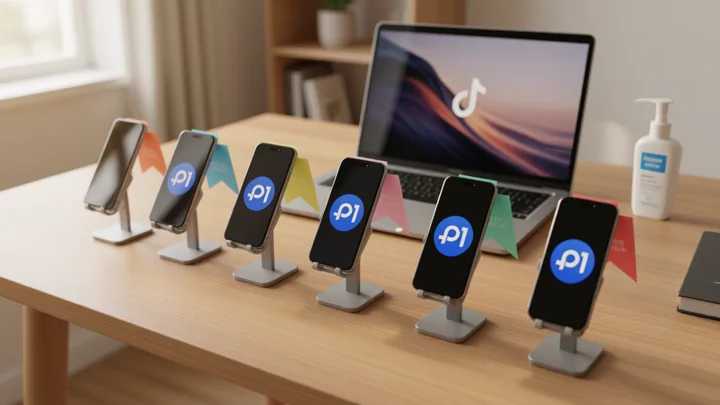
5-role sub-account permission matrix: minimum visibility set and operation boundaries
The sub-account permissions in TikTok Shop Seller Center and the Business Center roles in TikTok Ads are two separate systems that must be configured independently. TikTok officially, through Business Center Roles and Permissions defines admin, standard member, and finance roles, requiring access scope to be assigned by role rather than sharing login credentials.
| Role | Data Visibility | Operation Execution | Transfer & Entity |
|---|---|---|---|
| Store Owner | Full store finance, SPS, second-review status, sub-account logs | Modify payment recipient, business license changes, add/remove sub-accounts, ad account activation | All |
| Finance | Settlement and withdrawal records only (Not visibleSub-account operation logs) | Withdrawal, reconciliation, expense report export | Not visible |
| Store Manager | Single-store SPS, logistics tracking, inventory, influencer invitation list | Listing/delisting, price changes, after-sales handling, influencer invitation initiation | Not visible |
| Operations/Customer Service | Order status and logistics tracking for a single store | Shipment operations (requiring store manager approval), customer service replies | Not visible |
| Outsource | Single-store read-only (other stores not visible) | View order status and logistics tracking only | Not visible |
The finance role deliberately does not grant sub-account operation log viewing permissions, to prevent shared logistics contract numbers appearing in logs from triggering platform association detection. The outsource role is restricted to "read-only + single-store," eliminating cross-store operation traces from mixing into the same account's log sequence. After permission configuration is complete, review once every 30 days; immediately adjust roles for new hires or transfer personnel, and revoke all sub-accounts for departing personnel within 24 hours.
Multi-store grouping: use operational units as the primary axis, rather than by country or store type
Grouping by "Thailand store / Vietnam store / cross-border store" appears intuitive but would actually cause multiple local stores in the same country to share a single logistics contract and the same receiving account — this is precisely the shared-layer root cause of the aforementioned 48-hour incident. The correct grouping axis isoperational unit: One SKU cluster + one fulfillment warehouse + one payment entity = one operational unit.
- Grouping design constrained by quantity caps:A single business license allows 1–3 local stores in each of Thailand, Vietnam, and Malaysia; cross-border stores are limited to 1–2. The exact caps are subject to what is displayed in the Seller Center dashboard. While the quota has not been reached, stores under the same license are grouped into the same operational unit; once the quota is hit, any new store must switch to a different business license, triggering the creation of a new operational unit. For details, seeA Complete Breakdown of How Many TikTok Shops Can Be Opened with a Single Business License.
- Group naming conventions:
{国别代码}-{店序}-{店型}, e.g., TH-02-L (Thailand's 2nd local store), VN-01-C (Vietnam's 1st cross-border store). Stores within the same operational unit share the same fulfillment warehouse and payment entity; across units, no contracts or accounts are ever shared. - Grouping differences between cross-border stores and local stores:The Southeast Asian local store matrix and cross-border stores differ structurally in AHR scoring weights, Black Friday registration eligibility, and second-round review documentation requirements. Cross-border stores use cross-border trunk logistics, while local stores use domestic last-mile delivery; their logistics contracting entities are inherently different and should not be grouped into the same operational unit. For a point-by-point comparison, seeComparison of AHR Scoring and Black Friday Registration Eligibility Between the Southeast Asian Local Store Matrix and Cross-Border Stores.
Cross-unit isolation of logistics contracts and ad accounts: Daily review and loss-containment practices
Logistics contract number isolation:All shipping operations within each operational unit must use a dedicated logistics contract number; the same number must never appear in two operational units. After group configuration is complete, conduct a weekly spot check for cross-unit reuse of logistics contract numbers; upon detecting reuse, immediately switch the affected store to a dedicated fulfillment warehouse.
TikTok Ads account isolation:Assign ad assets by role through Business Center, with each operational unit corresponding to a dedicated ad account, to prevent multiple stores from sharing the same ad account andtriggering the platform's advertiser policyleading to a complete ad suspension across all stores. Loss containment when an ad account is restricted: First, freeze all mega-sale ad campaigns linked to the affected account, then reallocate by operational unit.
48-hour loss-containment sequence (triggered after a shared-layer incident):① Immediately freeze the shared logistics contract and switch affected stores to dedicated fulfillment warehouses; ② Verify payment entities one by one, and suspend withdrawals for stores exceeding their business license quota; ③ Stores with SPS below 100 must submit an appeal within 24 hours, attaching logistics tracking screenshots and subject consistency proof; ④ Blocked stores must resubmit corrected documents within 48 hours—do not repeatedly submit the same version.
Frequently Asked Questions
Will opening 6 TikTok Shops on a single computer be directly flagged as a linkage by the platform?
The platform has not published a hard rule that 'opening N stores on the same device triggers an immediate ban.' Association detection is based on cross-signals: payment entity, logistics contract number, business license quota, and operational trail. As long as proper isolation is in place at the shared layers above, the device itself is not an independent trigger condition. Follow the notifications in the Seller Center backend and official policies; do not assess risk based solely on device count.
Can cross-border store and local store sub-account permissions share the same configuration set?
No. Cross-border stores and local stores differ inregistration thresholds, payment attribution, and secondary review verification chainstructurally, and sub-account visible fields and operation boundaries must be configured separately by store type. Mixing them up can cause a finance role to view cross-border store settlement statements while accidentally operating on a local store's logistics approval, triggering permission cross-anomaly logs.
Do multi-store payment accounts need to be fully independent, or can stores within the same unit share one?
Within the same operational unit (sharing a fulfillment warehouse and payment entity), 2–3 stores can share a single payment account, but isolation is required across operational units. If 3 Thai local stores belong to 2 operational units, at least 2 payment accounts are needed. Stores that exceed the business license quota will be rejected during secondary review even if they share an account; the quantity cap is a hard constraint.
How should the influencer invitation feature be allocated across multiple stores to avoid triggering cross-contamination?
Influencer invitations belong to the store level, not the Profile level. In the Seller Center, enable the 'Influencer Invitation' permission separately for operations/customer service roles, restricted to 1 store within the corresponding operational unit. An outsourced account should only see the invitation list for 1 store, preventing cross-store invitation records from appearing in the same operation log and triggering risk-control scans.