



In the 6th hour after the 10th Malaysian local store submitted its second review, the SPS for both the Thailand group and Vietnam group stores simultaneously dropped from 87 to 52, the Black Friday sale enrollment channel went gray, and the three groups TikTok Ads accountssimultaneously triggered "account restricted" notifications. The post-mortem investigation found the breakpoint was not in the number of browser windows but in three lines failing at once: the payment-entity-to-store binding was not updated for the new store, sub-account permissions crossed group boundaries, and browser fingerprints cross-contaminated across 10 Profiles. For a single physical workstation to carry N store clusters, the key is not "how many windows to open" but breaking N stores into mutually non-interfering operational units and configuring each separately.
Below, I walk through the process in the order of "define groups → configure environment → assign permissions," with each step annotated with applicable boundaries and common breakpoints. If you currently have only 3 stores and have not yet triggered a second review, you can skip ahead to the grouping table to check whether you have exceeded the single-entity capacity limit. If you already have 6 or more stores and have experienced SPS sharp drops recently, it is recommended to start verifying directly from the environment isolation section.
Grouping Rules: Multi-Store-per-Country × Store Type × Entity Three-Dimensional Matrix
The most easily confused step in TikTok Shop multi-store operations is treating "the same business license" as the grouping basis. In practice, platform review and SPS linkage examine the three-layer cross-relationship of registered entity, payment entity, and logistics entity. Under one business license, cross-border stores are typically limited to 1–2, and Thai, Vietnamese, and Malaysian local stores to 1–3 each (seethe quota explanation for how many TikTok Shop stores can be opened under one business license)), but what truly constrains you is this: when mixed bindings across store types (cross-border + local) exist under the same payment entity, if any store triggers a secondary review, the SPS of all stores under that entity will be linked.
Grouping criteria are shown in the table below. Each row represents an "operations group." Stores within the same group share the same payment entity and logistics entity; groups must remain isolated from one another:
| Operations Group | Country | Store Type | Payment Entity | Logistics Entity | Maximum Number of Stores per Group |
|---|---|---|---|---|---|
| Group A - Cross-Border | China Outbound | Cross-Border Store | China Corporate Bank Account | Cross-border logistics provider | 1–2 providers |
| Group B – Thailand | Thailand | Local store | Thai local entity / authorization | Thailand local logistics | 1–3 providers |
| Group C – Vietnam | Vietnam | Local store | Vietnamese local entity | Local Logistics in Vietnam | 1–3 stores |
| Group D-MY | Malaysia | Local store | Malaysian local entity | Malaysian Local Logistics | 1–3 stores |
If the current 10 stores are distributed across 4 groups (1 cross-border + 3 TH + 3 VN + 3 MY), sharing an entity within each group is reasonable, but you must ensure that Group B and Group C have different payment-receiving entities and different logistics entities; otherwise, a second-review rejection in any group will cascade across groups. The grouping logic is consistent withBuilding and Cost Breakdown of the Southeast Asia Local Store Matrixthe three-dimensional matrix described therein; this article focuses on deployment configuration.
Environment Isolation on a Single Workstation: 72-Hour Configuration Timeline
Assume you have a workstation with 32 GB of RAM that must run 10 shop back-office accounts across 4 operational groups simultaneously. The core principle: each browser Profile is bound to exactly one receiving entity and one logistics entity. Profiles do not share Cookie directories, do not share local storage, and do not share proxy outbound IPs. Below are the configuration steps broken down by day:
- Day 1 | Profile and Fingerprint Isolation: Create an independent browser Profile for each operational group (e.g., in P1Browser, create groups such as "Group A – Cross-border" and "Group B – Thailand"). Within each group, shops share the same Profile group but each occupies its own dedicated window. Each Profile is bound to a fixed proxy outbound (the Thailand group routes through a Bangkok IP, the Vietnam group routes through a Ho Chi Minh IP), and the proxy matches the country of the receiving entity. Verification step: close all Profiles, restart the workstation, then log in one by one to confirm that no Profile shares Cookies or local storage with another.
- Day 2 | Session and Receiving Entity Binding: Within each Profile, log in to the corresponding group's TikTok Shop Seller Center and confirm that the receiving account, logistics provider, and corporate verification details match that group's receiving entity. Cross-border groups use a Chinese corporate account + cross-border logistics; the Thailand, Vietnam, and Malaysia local groups each use a local entity + local logistics. At this step, also verify that the creator invitation entry point is open only to shops within the same group, preventing cross-group data leakage.
- Day 3 | Scheduled Inspections and Alerts: Configure two automated inspection scripts to run daily at 09:00 and 15:00 (manually or with the help of shop management tools). Inspection items: whether any shop's SPS score has dropped below 70, whether a second review has been newly triggered, whether logistics tracking shows a "fake shipment" flag, and whether TikTok Ads account status reads "Normal." If any anomaly is triggered, freeze creator invitations and ad bidding for all shops in the same group within 2 hours to prevent cascading SPS impact. For the inspection template, refer tothe Second-Review Failure Troubleshooting Checklistfor its five-layer inspection items.
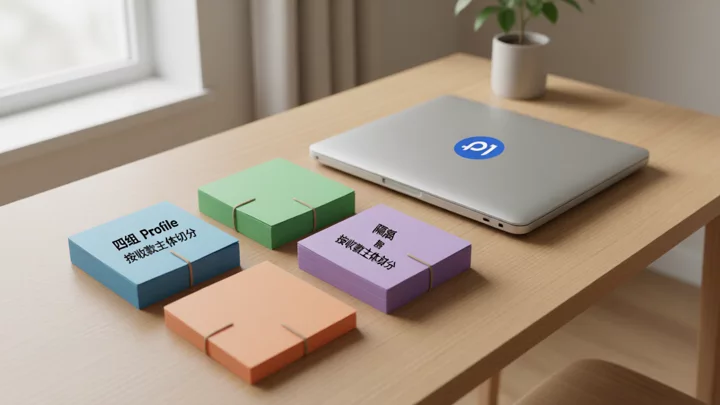
Sub-Account Permission Matrix and Cascading Failure Protection
When a team of 2–5 people shares a single workstation, how permissions are divided matters more than the number of roles. Below are the minimum-permission boundaries for 4 roles:
- Super Admin (1 person): Has access to all 4 groups' Profiles, can modify receiving entities, initiate second-round appeals, and manage TikTok Ads accounts. Only this role can perform cross-group operations.
- Country Operations (1 person per group, 3–4 in total): Can only log into the store back-end within their own group's Profile. Permission scope is limited to product management, influencer invitations, and logistics tracking. Must not touch receiving entity settings or ad account budgets.
- Customer Service (1–2 people): Can only access the message center and order pages of their own group's stores, with no product editing or advertising permissions.
- Finance (1 person): Can access the receiving and withdrawal pages across all groups, but has no permissions for products, advertising, or influencer invitations. Binding changes for TikTok Shop withdrawals and receiving accounts can only be executed by the Super Admin and Finance.
Permission configuration relies on The Role Structure of TikTok Business Center: Within Business Center, organize sub-Businesses by operations team. For each group, designate the corresponding country operations lead as a standard member, the finance lead as the finance role, and the super admin as the administrator. The sub-account management entry in TikTok Shop Seller Center and the roles in Business Center are two separate systems and must be configured independently—the Seller Center side controls backend store feature permissions, while the Business Center side controls ad assets and team access. Once both sides are aligned, proceed to multi-store grouping and sub-account configuration for final acceptance.

Frequently Asked Questions
In TikTok Shop multi-store management, can cross-border stores and local stores be placed in the same operation group?
Not recommended. Cross-border stores use a Chinese entity + cross-border logistics + USD/CNY payment collection, while local stores must use a local entity or authorization + local logistics + local currency payment collection (seeComparison of registration documents and operating costs between cross-border stores and Southeast Asian local stores for details). Once mixed, if the document review on either side fails, the SPS on the other side will be dragged down accordingly. When grouping, separate by store type, each with an independent Profile.
If a local store's document review fails under a single business license, will it affect other stores in different countries under the same license?
If the payment entity is the same, yes. The platform's secondary review checks a three-layer entity cross-verification (registration entity × payment entity × logistics entity), not simply the 'number of licenses.' If a Thai store under the same payment entity is rejected, the SPS of Vietnamese and Malaysian stores may drop in a linked cascade within 24–48 hours. Isolating payment entities is the most direct way to prevent cross-group contagion.
How are TikTok Shop major promotion eligibility requirements (e.g., AHR 150 points) calculated across a store group?
Each store calculates SPS and AHR independently, but stores within the same operations group share logistics fulfillment data. If any store in the group triggers a logistics violation or false-shipment flag, the entire group's AHR will be dragged down. It is recommended to freeze all newly listed SKUs across the group 7 days before promotion registration, focus on clearing historical violation orders, and ensure SPS remains stable above 80 before submitting the registration.
When running multiple TikTok Shop store groups on a single computer, do browser fingerprints all have to be different?
It is not strictly 'required,' but it is strongly recommended. The platform has not publicly stated that a single browser fingerprint alone triggers a ban or session drop; actual enforcement may involve a composite judgment across multiple signals such as IP, behavioral patterns, and entity consistency. The engineering purpose of Profile isolation and proxy differentiation is to reduce the probability of cross-group cross-contamination, not to assume that 'same fingerprint = guaranteed association.' Follow account notifications and official policies—do not make operational decisions based solely on community rumors.
After a TikTok Ads account is restricted, can ads on other stores in the store group continue to run?
The scope of the restriction depends on asset ownership within Business Center. If the ad account is attached to a group-level Business, ads for all shops under that group are suspended; if it is attached to a standalone ad account linked to a single shop only, the impact is limited to that shop. During the restriction period, avoid repeatedly submitting appeals. First, freeze influencer invitations in the same group per the cascade response rules, and restart the plan only after the account status is restored. For detailed steps, refer to TikTok Shop Multi-Account Operations Tool Selection regarding ad asset layer isolation.